
Somewhere in your plant right now there is a machine nobody can fully account for. It was serviced a few months ago — probably — but the note is in a diary under a pile of drawings. A spare was fitted last week, though the stores register does not show it leaving. When the plant head asks how often that machine breaks down and how long it takes to fix, the honest answer is "let me go and check the book." That gap — between what the maintenance plan assumes and what the floor actually did — is the problem a CMMS exists to close.
This guide is written for the person evaluating the software category — a plant head, maintenance manager or business owner deciding what to buy and what to ask vendors. It covers what the software actually does across the asset lifecycle, the modules that separate a real maintenance system from a spreadsheet with a schedule tab, and how Fast Maintenance Software implements each one. If you want to learn the underlying discipline first — maintenance management itself, independent of any tool — start with our pillar guide, What is CMMS software?, and come back here when you are ready to compare software.
The Learn Hub pillar guide teaches maintenance management as a practice — the asset lifecycle, the vocabulary, preventive vs breakdown, and MTTR/MTBF for newcomers. This article assumes you know why maintenance control matters and focuses on the buying decision: what the software category does, where products differ, and what to check before you sign.
1. What is a CMMS?
A CMMS — computerised maintenance management system, sometimes sold as maintenance management or asset-management software — gives a plant, facility or fleet a single, structured way to register assets, link their spare parts, schedule preventive maintenance, capture breakdowns with downtime, issue spares against repairs, record maintenance history, and report reliability. It sits at the centre of the maintenance function, and it serves manufacturers of every kind, cloud or on-premise, across India and worldwide.
The starting point is always the same: a clean asset register — a machine master carrying each asset's specifications, photographs and a printed barcode or QR tag — with a spare parts list (a spare bill of materials) attached to each asset. Once those exist, the system can schedule work against every asset and turn every service and repair into a numbered, owned, dated document rather than a note in a diary.
The key word is recorded. Plenty of tools can store an asset list. The difference a real CMMS makes is that nothing about the maintenance is optional or memory-dependent:
- Every asset is registered — on a machine master with specs, photos and a scannable tag, not a row someone half-remembers
- Every spare is linked — an asset's spare BoM tells the technician which part fits it and whether it is in stock, before the machine is even opened
- Every service is scheduled — preventive work sits on a calendar with checklists and safety work permits, and raises an alert when it is due
- Every breakdown is a ticket — with a time down and a time restored, so downtime is a number rather than a shrug
- Every repair leaves a history — maintenance and asset history are updated with the spares consumed and photos attached, ready for the next failure or the next audit
For organisations working to a quality or safety system, or managing AMC and warranty claims, this is not just good housekeeping — it is the working machinery behind traceability: which spare went into which repair, who did the work, against which work permit, and how the asset has behaved over its life. Our asset register and spare parts & BoM pages cover the foundation in detail.
2. Why spreadsheets and paper registers fail
Most plants do not start with no system. They start with an asset spreadsheet, a stores register for spares, a wall planner for PM due-dates, and a diary for breakdowns. It feels adequate until scale, staff turnover or an audit exposes it. The failure modes are consistent enough to list:
- No single record. The asset lives in one spreadsheet, the spare stock in the stores book, the PM due-date on a planner, and the breakdown note in a diary. Reconstructing an asset's true history takes an afternoon.
- No link between asset and spare. A spreadsheet cannot tell you which spare fits which machine. When a pump fails at 2am, nobody knows the exact part number or whether it is on the shelf, so a two-hour repair becomes a two-day wait.
- Schedules that slip silently. A wall planner never reminds anyone. A preventive service that was due last Tuesday simply does not happen, and the first sign is the breakdown it was meant to prevent.
- Downtime that evaporates. A machine stops, someone fixes it, and the hours lost are never captured against the asset. Reliability looks fine on paper because the failures were never counted.
- No pattern visibility. Ten breakdowns on the same line look like ten separate bad days. Without capturing downtime by asset and cause, a systemic problem hides inside individual anecdotes.
- Audit pain. When an auditor asks for an asset's maintenance history, or a warranty claim needs the service record, a stack of registers is not a record. Assembling the chain retroactively is miserable — and visible.
None of this fails loudly. That is what makes it dangerous: a spreadsheet never sends you a report saying a critical spare is about to run out, a preventive service is overdue, and downtime on one machine has quietly doubled.
3. What the software does — the maintenance lifecycle
Whatever the vendor, maintenance follows broadly the same loop. What the software does is make each step explicit, owned and recorded — so the process runs the same way whether you maintain five assets or five hundred.
| # | Step | What the software does |
|---|---|---|
1 |
Register the asset | Each machine goes onto the asset register with specifications, photographs, location and AMC/warranty dates, and a barcode/QR tag is printed so a scanned serial opens the asset's card and history at the machine. |
2 |
Link its spares | A spare parts list (spare BoM) is attached to the asset, and reorder levels are set on the critical spares so the store is replenished before a failure, not after it. |
3 |
Schedule preventive | Time- or usage-based preventive and planned maintenance is scheduled on a maintenance calendar, each job carrying its checklist and, where needed, a safety work permit. |
4 |
Detect / report | When a machine fails, a breakdown (or emergency) ticket is raised and the downtime clock starts — time down recorded, the asset flagged on the live status board. |
5 |
Assign & issue spares | The ticket is assigned to a technician, and the spares it needs are issued against it from stock — consumption tied to the asset and the job. |
6 |
Repair | The repair is carried out under its work permit; sub-assemblies that must go to an outside vendor are dispatched for repair and booked back on receipt. |
7 |
Restore & close | The asset is restored, the ticket closed and the time-restored recorded — the downtime window that feeds MTTR is now captured. |
8 |
Update history | Maintenance and asset history are updated with the work done, the spares consumed and photographs, building the record that guides the next failure and the next audit. |
9 |
Measure & report | Live machine status, the maintenance calendar, MTTR and MTBF tracking, downtime analysis and asset history reports roll up — and feed the next round of preventive schedules and stock levels. |
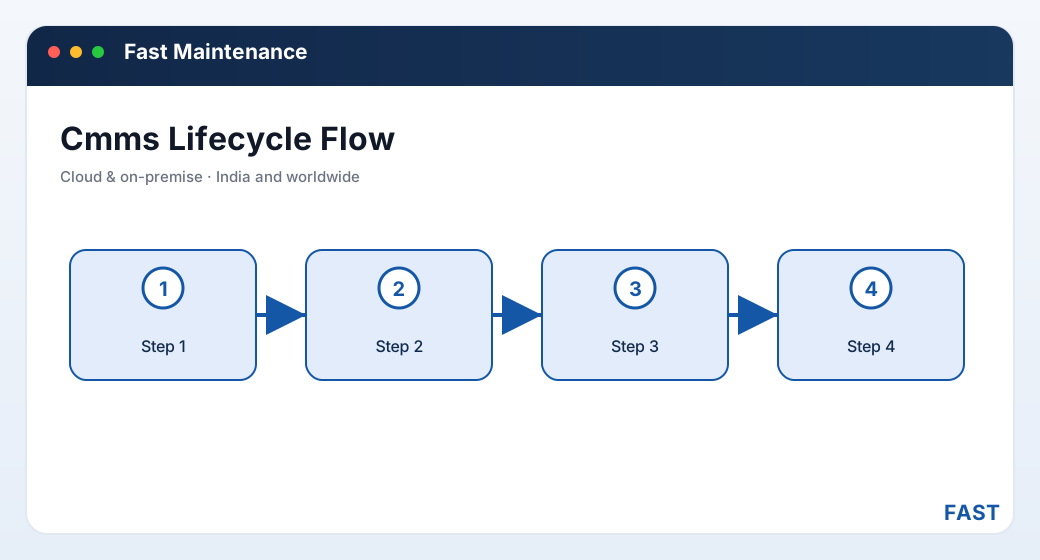
The lifecycle is a loop, not a line — what you learn from history and MTTR/MTBF feeds back into better preventive schedules and stock levels, so each turn of the cycle is calmer than the last.
4. Core modules checklist
Feature lists blur together quickly. These are the eight modules that actually determine whether a product can run maintenance — use them as your evaluation checklist. They map to the four module groups of a complete CMMS: asset & spare-part management, asset inventory & repairs, maintenance management, and dashboards & reporting.
- Machine master with specs, photos, location
- AMC / warranty dates with expiry alerts
- Excel import and export of the asset list
- Printed serial-number barcode / QR labels
- Scan a serial to open the asset card
- Full asset history on a phone at the machine
- Spare parts list attached to each asset
- Which spare fits which machine, and stock on hand
- Issue spares for maintenance against the job
- Reorder levels that trigger before a stockout
- Stock & ledger reports on every movement
- Asset inward and location allocation
- Time- and usage-based PM schedules
- Checklists and safety work permits
- Maintenance calendar with PM-due alerts
- Breakdown, emergency and planned tickets
- Downtime capture, assignment and repair
- Maintenance history update with photos
- Asset inward and location allocation
- Dispatch for repairs, receive from repairs
- External-vendor repair tracked end to end
- Live machine status — running / breakdown / idle
- MTTR and MTBF tracking, downtime analysis
- Email, SMS and WhatsApp alerts
Alongside these eight, check the alerting discipline: does the system actively push PM-due, breakdown and spare-reorder notifications to the right person over email, SMS and WhatsApp — or does it merely display them on a screen someone has to remember to open? A CMMS whose reminders sit unseen is a CMMS whose schedules slip.
5. CMMS vs ERP — and how it differs from a spreadsheet
Buyers often discover mid-evaluation that "maintenance software" and "ERP" are answering two different questions. They are related but not the same, and the best arrangement runs a purpose-built CMMS that can share data with ERP rather than relying on a thin maintenance tab bolted onto an accounting system.
| Aspect | CMMS (maintenance) | ERP / finance layer |
|---|---|---|
| Core question | How healthy is this asset, and how fast do we fix it? | What did we buy and sell, and what did it cost? |
| Level of detail | Asset, spare BoM, work order, downtime minute | Order, invoice, financial period, ledger |
| Time horizon | Live — this shift, this breakdown, this PM | Periodic — the month, the quarter, the year |
| Key documents | Asset card, PM schedule, breakdown ticket, spare issue | Purchase order, GRN, invoice, GL entry |
| Owns downtime & MTTR/MTBF | Yes — captured at source, per asset | Sees the cost summary, not the shop-floor detail |
| Spare stock impact | Issues spares to repairs; triggers reorder levels | Values and pays for the stock the CMMS consumes |
The point is not that one replaces the other — it is that they should share the same data. A CMMS is where maintenance happens; ERP is where it is costed. And against a spreadsheet, the gap is even wider: a spreadsheet has no link between an asset and its spares, no reorder alert, no downtime clock, no live status board, and no single record — the very things that make a CMMS worth having.
- Alerts reach people who never open the system. PM-due, breakdown and reorder warnings go out by email, SMS and WhatsApp so the right person acts in time.
- Spare stock and procurement connect to Fast Inventory & Purchase, so a reorder can become a purchase without re-keying.
- Analysis comes from Dhruv AI — role dashboards, plain-English questions over a safe read-only view of your data, and clustering of breakdown-cause remarks into named recurring themes.
In Fast Maintenance these are not brittle integrations — the CMMS runs on the shared Fast Suite platform, so spare stock, alerts and analytics interoperate natively rather than through file exports. Nothing is re-keyed at a boundary.
6. Who needs a CMMS?
Not every workshop needs a dedicated system on day one. These are the situations where the spreadsheet-and-register approach reliably stops being enough:
| Organisation | Why a structured CMMS becomes necessary |
|---|---|
| Manufacturing & plant | CNC, presses, tooling and process machines where a breakdown stops production — fast breakdown response, disciplined preventive maintenance, and reliability KPIs matter. See manufacturing maintenance software. |
| Facilities & utilities | HVAC, DG sets, compressors and buildings where uptime, safety work permits and compliance history are non-negotiable. See facility maintenance software. |
| Equipment & fleet | Forklifts, conveyors, dock and site equipment maintained across locations, where a mobile asset card and spare availability keep the fleet moving. See equipment & fleet maintenance software. |
| Calibration & gauge | Instruments and gauges that must be recalled and recalibrated on schedule to stay valid, with a calibration-due recall and certificate trail. See calibration & gauge management software. |
The practical trigger is usually one of three events: a breakdown that dragged on for days because a spare was not in stock; an audit or warranty claim that needed a maintenance history nobody could produce; or a growth stage where the number of assets outruns the memory of the one engineer who used to hold it all together.
7. How to evaluate a CMMS
Most demos look good. The differences show up in the specifics, so evaluate against your own assets rather than the vendor's script.
- How many assets, of what types, at how many locations?
- Which are critical enough to justify preventive maintenance, and which can run to failure?
- Which spares are critical, long-lead or single-source, and how are they stocked today?
- Ask the vendor to walk one asset from register to a closed breakdown with spares issued
- Check that the downtime clock actually feeds MTTR and MTBF, computed for you
- Check that every service, issue and repair leaves a history you could show an auditor
- Is there a real spare BoM per asset, or just a flat parts list?
- Do reorder levels raise an alert before a critical spare runs out?
- Can you dispatch a sub-assembly for external repair and receive it back cleanly?
- Are PM schedules time- and usage-based, with checklists and safety work permits?
- Does a due service actually raise an alert, or just sit on a screen?
- Can you see a maintenance calendar across all assets at a glance?
- Live machine status — running, breakdown, idle — for the whole plant
- MTTR and MTBF over time, per machine, with downtime analysis
- Asset history and maintenance history you can pull in seconds
- Does it push alerts over email, SMS and WhatsApp, not just on-screen?
- Can spare reorders flow into inventory and purchasing without re-entry?
- Is it available cloud or on-premise to fit your IT policy?
8. How Fast Maintenance Software implements each module
Fast Maintenance Software is the CMMS of the Fast Suite, built in Pune by Improsys under the Fast Technology brand and available cloud or on-premise. It runs each module above with real, named screens — the same ones you would see in a demo:
| Module | How Fast Maintenance Software does it |
|---|---|
| Asset register | A machine master holds each asset's specifications, photographs, location and AMC/warranty dates; serial-number barcode/QR labels print so a scan opens the asset's mobile card and full history at the machine. Asset lists import and export via Excel. See asset register & tracking. |
| Spare parts & BoM | A spare parts list (spare BoM) is attached to each asset, so a failure points straight to the parts it needs; spares are issued for maintenance against the job, and reorder levels raise an alert before a critical spare runs out. See spare parts & BoM. |
| Inward & repairs | Asset inward, location allocation, dispatch for repairs and receive from repairs track assets and sub-assemblies through internal and external repair, with stock & ledger reports on every movement. See asset inward & repairs. |
| Preventive & planned | Preventive, planned and emergency maintenance run from a maintenance calendar, each job carrying its checklist and safety work permit, with PM-due alerts so nothing slips. See preventive & planned. |
| Breakdown & emergency | Breakdown and emergency tickets capture downtime, assignment and repair; maintenance history is updated with the work done, spares consumed and photographs. See breakdown & emergency. |
| Dashboards | A live machine status board shows running, breakdown and idle; MTTR and MTBF tracking, downtime analysis, the maintenance calendar and asset history reports turn the record into reliability metrics. See dashboards & MTTR/MTBF. |
| Alerts & analytics | PM-due, breakdown and reorder alerts go out over email, SMS and WhatsApp; and Dhruv AI adds a maintenance role dashboard, plain-English questions over your data in a read-only sandbox, and clustering of breakdown-cause remarks into labelled recurring themes by asset. |
Start with the asset register. Grow into full CMMS — cloud or on-premise.
Fast Maintenance runs the whole maintenance loop — asset register, spare BoM, preventive schedules, breakdown tickets with downtime, and MTTR/MTBF dashboards. Because it shares one platform with the rest of the Fast Suite, a spare reorder connects to Fast Inventory & Purchase and PM-due alerts reach the technician over WhatsApp — with nothing re-entered. It serves manufacturers of every kind, across India and worldwide.
9. Frequently asked questions
See the whole maintenance loop on your own assets
A 30-minute demo — your asset register, your spares, your preventive schedule and MTTR/MTBF dashboards walked live on screen. No generic slideshow.